Introduction
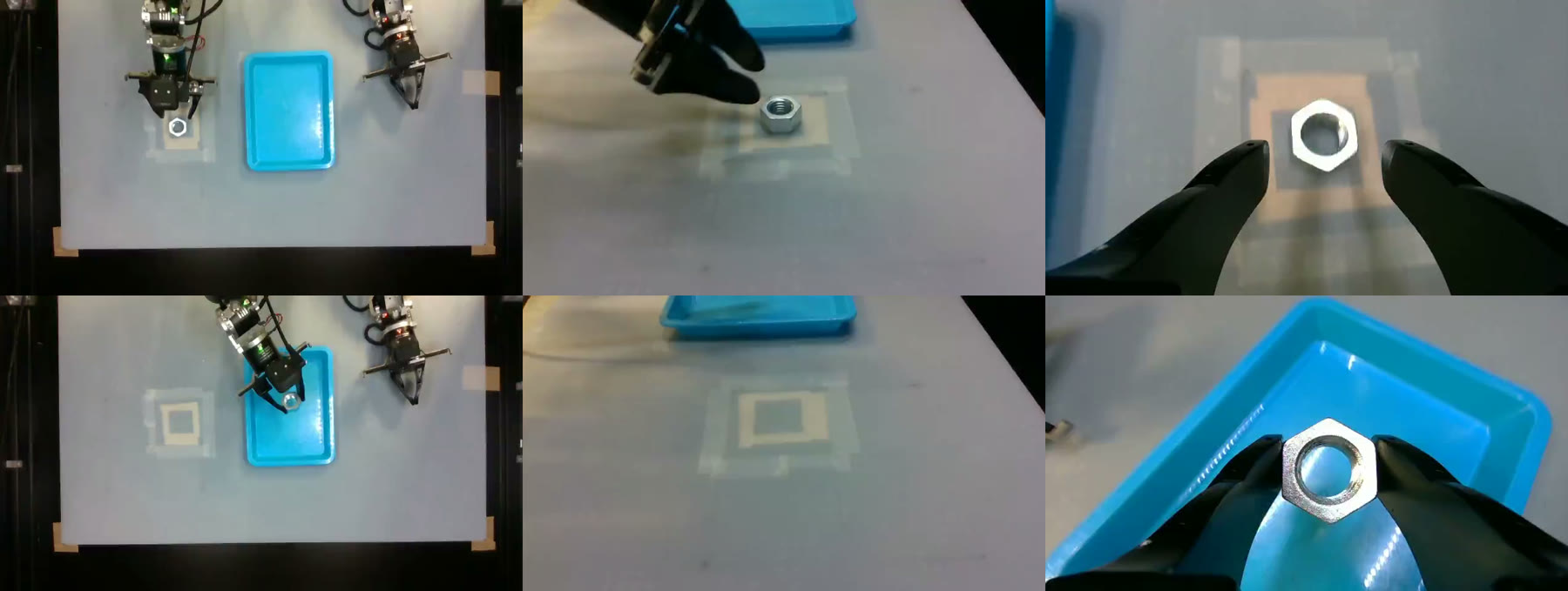
Over the past few months we have been fine-tuning pi0.5 (Physical Intelligence's 3.6B-parameter vision-language-action model) on OpenArm, an open-source 7-DOF bimanual robot arm, using the LeRobot framework. We ended up with a policy that scores 10/10 on a nut pick-and-place task with placement randomized over a 20×20 cm area, but getting there was not straightforward. This post covers the full pipeline (teleoperation data collection, dataset curation, training, real-time inference), the results, and the pitfalls that cost us the most time, including a default image augmentation that silently cut success from 100% to 30%.
The setup
The task is simple: pick up a hex nut placed within a fixed range (10×10 cm or 20×20 cm) and drop it into a blue tray at a fixed position in the workspace. We chose nuts as the target because they are one of the easiest mechanical components to grasp, and their appearance barely changes with orientation: a hex nut has six-fold symmetry, so rotating it by 60 degrees brings it back to an identical silhouette. From the policy's point of view, orientation almost doesn't exist.

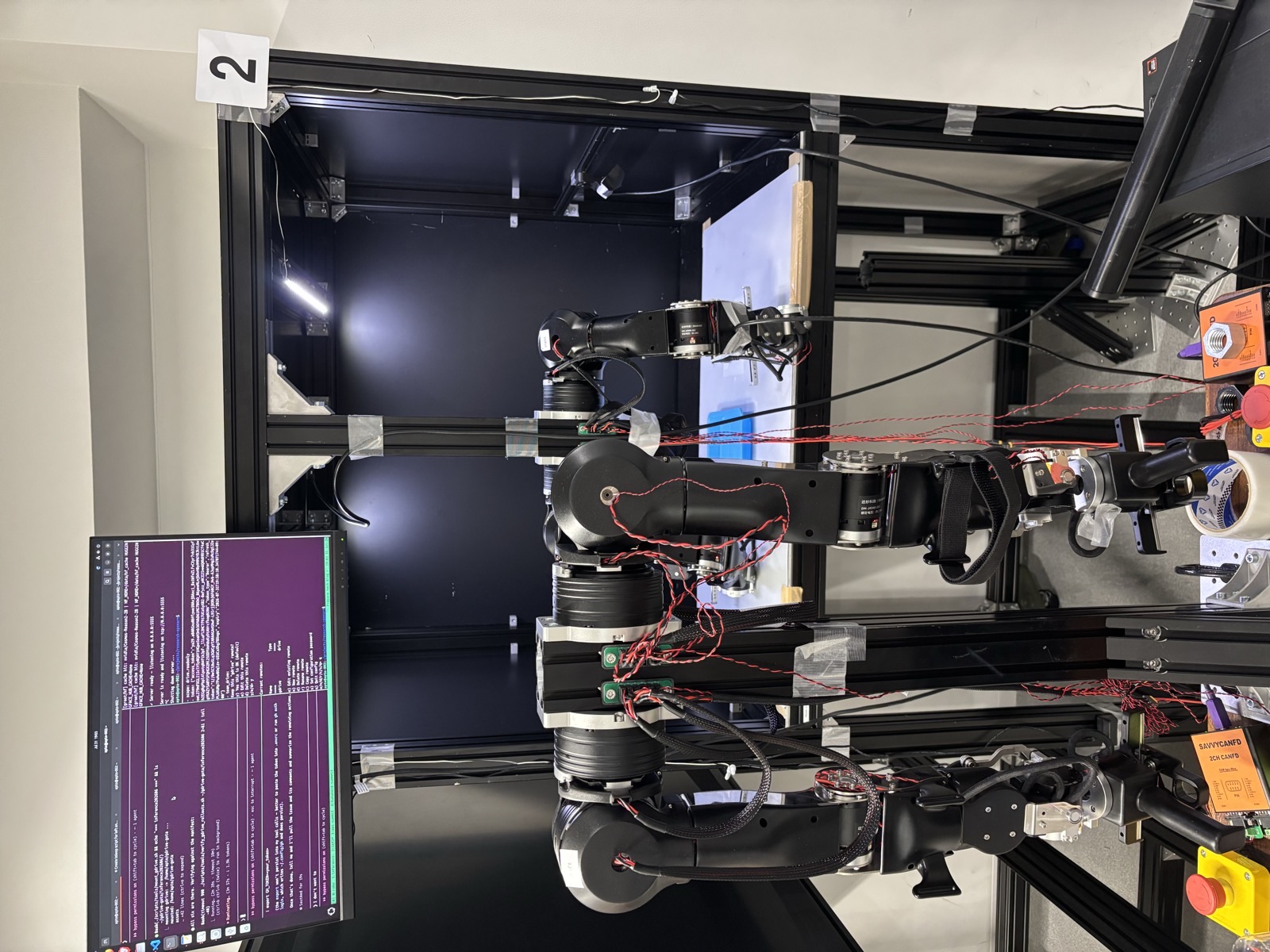
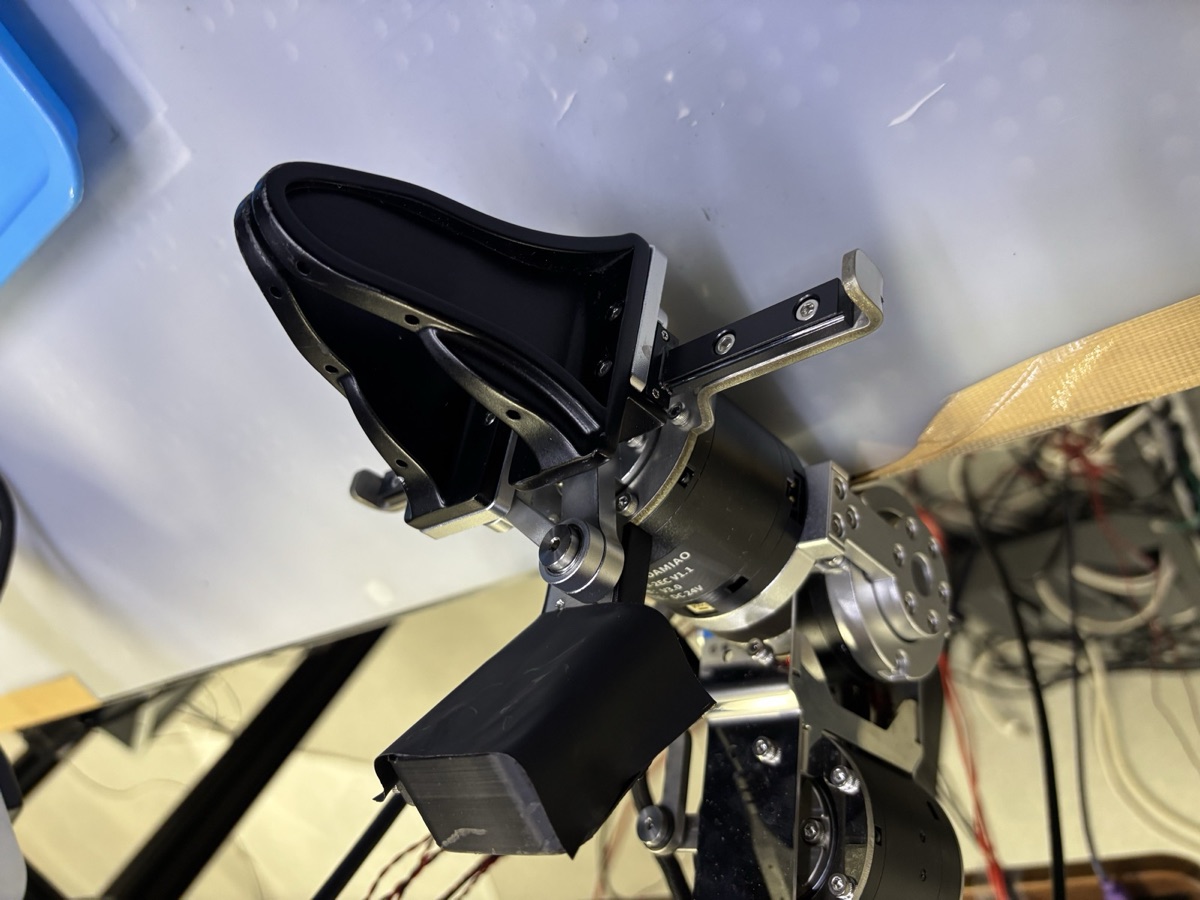
Robot: OpenArm V1 follower + leader arms (7-DOF + gripper) driven by Damiao motors over CAN-FD. The followers are teleoperated from a matching pair of leader arms. The task in this post uses only the right arm.
Cell: An OpenArm cell environment made of Misumi aluminum extrusion frames, 1100 mm (W) × 850 mm (D) × 1800 mm (H), with the arms mounted hanging from the ceiling frame. For lighting we used Misumi LEAL LED line lights, which slot into the grooves of the extrusions. The workspace board is aluminum and a little slippery, so we laid a white rubber mat on top to keep objects from sliding around during grasps.
Cameras: We use 3 cameras as input streams to the policy: an Intel RealSense D405 on the right wrist, and two D435s (overhead and side), all at 848×480 (the default resolution). We record at 30 fps, the most common setup across public pi0.5 resources and deployments. A less obvious pitfall was the USB connectivity. When two cameras shared one hub, their streams froze intermittently, possibly from fighting over bandwidth, so we put each camera on its own USB controller. Another was the USB cabling: the USB 3 signal degrades over extension cables, and the camera falls back and gets recognized as USB 2.0. We used a single continuous USB 3 cable for each camera to avoid this.
Compute: Training runs on RTX PRO 6000 Blackwell GPUs (one run per GPU; pi0.5 fine-tuning takes ~41GB VRAM at batch 32 with bfloat16 and gradient checkpointing, about 3.5 s/step). We used AWS VM instances such as g7e.2xlarge and g7e.12xlarge.
Recording and inference box: Inference runs on a regular desktop PC built around an ASUS ProArt X870E-Creator WiFi motherboard. We started with an RTX 5060 (8GB VRAM) and switched to a 5090 for VRAM headroom and convenience (training smaller VLAs locally, etc.), though a 16GB GPU is comfortable for pi0.5 inference. 8GB also works, though it was tight with the 3-cam input.
Software: Everything is built on a fork of LeRobot, with pi0.5 loaded from lerobot/pi05_base. Note that pi0.5 requires a patched transformers build (fix/lerobot_openpi branch). We pin both the fork and the patched transformers build to exact commits. "Same branch" is not "same code": branches move, and a training run kicked off a month later can silently pick up different behavior. Pinning means every run is reproducible from its config alone.
What pi0.5 actually is
pi0.5 is a vision-language-action (VLA) model: a vision-language model that was taught to output robot actions. The backbone is PaliGemma: a SigLIP vision encoder feeding a Gemma language model. Bolted onto this backbone is a much smaller (~300M-parameter) action expert: a separate set of transformer weights that attends to the backbone's internal representations and generates continuous actions via flow matching. On each forward pass, the model takes the camera images, a text prompt ("pick the nut and place it in the tray"), and the robot's proprioceptive state, which pi0.5 discretizes and feeds in as text tokens in the prompt. The action expert then denoises a chunk of 50 future joint-space actions.
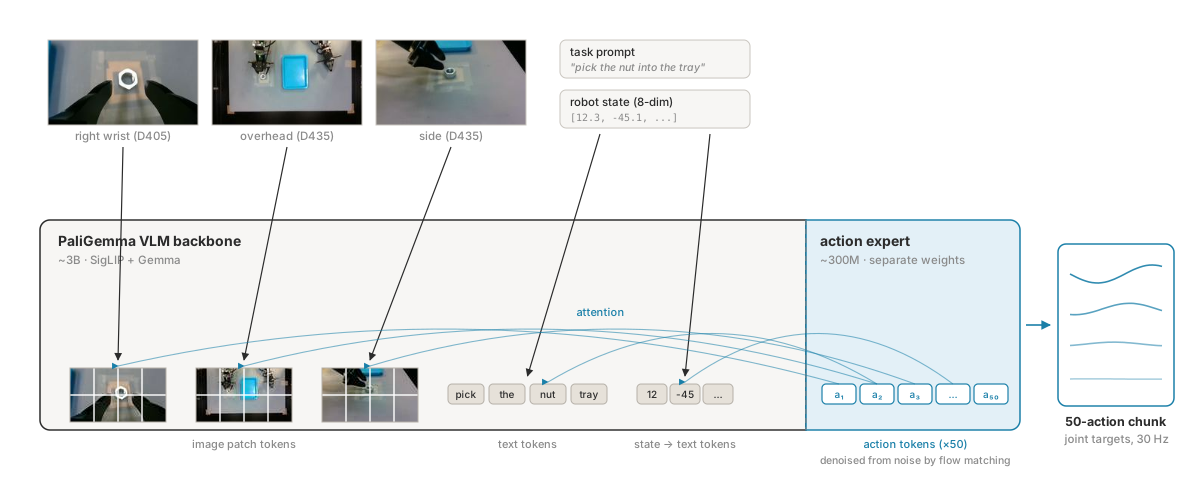
Physical Intelligence trained pi0.5 on a mix of data sources all at once rather than in sequence: mobile-manipulation data from homes, static-arm data across many robot embodiments, ordinary web vision-language data (captioning, VQA), and high-level subtask annotations.
In both pretraining and fine-tuning, the VLM backbone is trained together with the action data, not frozen. When you fine-tune it on a rig it has never seen, the whole network can adapt, including the PaliGemma backbone. All our fine-tuning starts from the lerobot/pi05_base checkpoint and updates every parameter.
STEP 1Collecting teleop data
The official teleoperation code openarm_teleop supports both bilateral and unilateral teleoperation. We opted for unilateral. In bilateral mode the leader arm also tries to follow the follower arm, so you feel a constant pull against your hands, and over a long recording session it gets exhausting. Even unilateral teleop is tiring after a while though, and ideally you'd collect with something like KER (a motorless wearable leader device) or VR.
We initially tried LeRobot's built-in OpenArmLeader, but it disables the leader motors with the Damiao disable command, which puts them in brake mode. The arm resists every motion and quickly becomes tiring to move by hand.
We patched this in our LeRobot fork, but there was another issue where the leader arm would drop as soon as you let go, so the operator ends up carrying its full weight for the entire session.
What you actually want is gravity compensation, so the arm is free to move but stays where you leave it. Our quick Python implementation was crude, so we switched to a fork of the official C++ openarm_teleop, which handles this properly using model-based gravity and friction compensation from the robot's URDF, updated with the arm configuration.
With this setup, teleoperation became smooth across the workspace, which we believe is important for long recording sessions. An operator drives the leader arms, the followers mirror them, and a separate Python recorder passively sniffs both CAN buses and writes synchronized joint states, actions, and three camera streams into a LeRobot dataset.
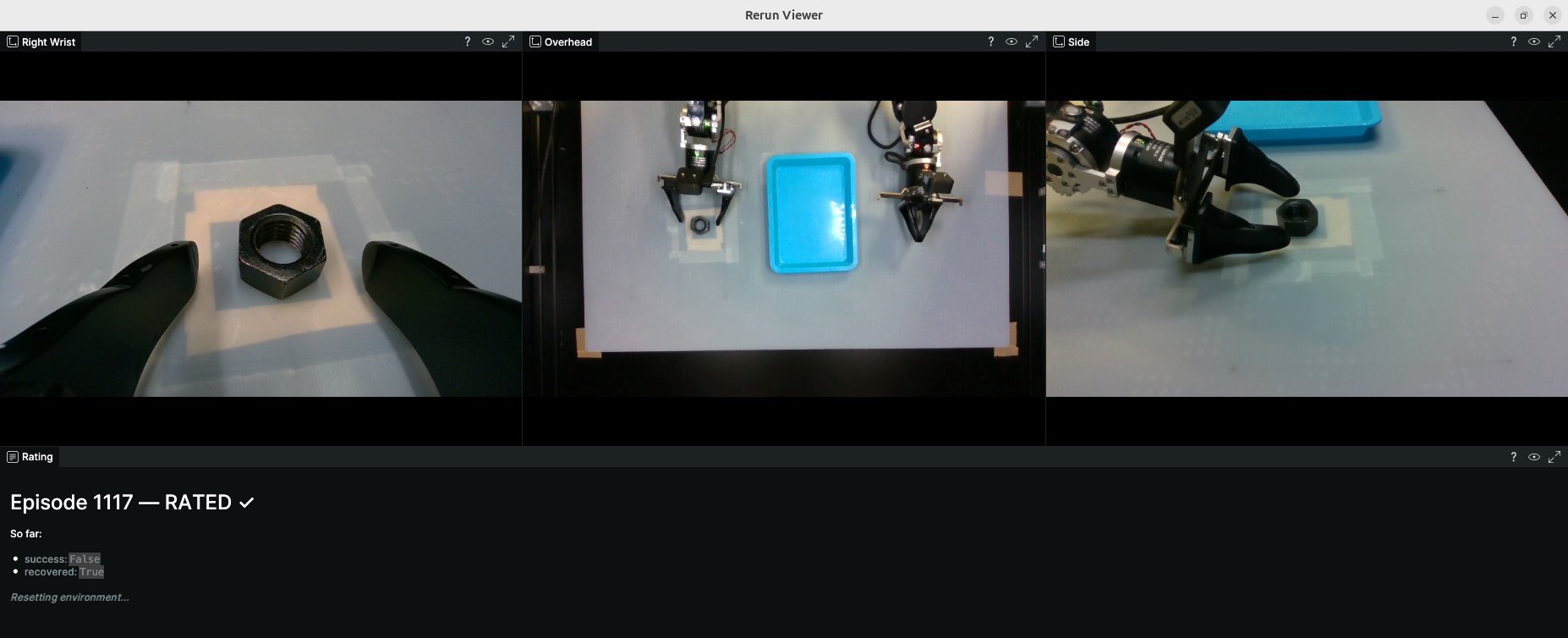
Operators rate every episode on the spot (success/failure, 1–5 quality, recovery flag) via keyboard while the episode is fresh. This is essential for filtering out low-quality episodes later. An episode goes into training only if it succeeded, had no mid-episode recovery, and scored at least 3.
Our datasets range from 128 to about 950 episodes depending on the experiment. We find that about 200 episodes is enough for a decent success rate on simple tasks. If your state space is larger (wide placement range, objects whose appearance changes a lot with orientation, etc.), you may need more.
STEP 2The training recipe
Here's the recipe that works, distilled from our pi0.5 training runs:
- 3 cameras (right wrist, overhead, side)
batch_size: 32- Training steps: 40,000 (can be less)
- Color-only data augmentation with default hyperparams: ColorJitter (brightness, contrast, saturation, hue) + SharpnessJitter
- No RandomAffine data augmentation (see Pitfall 2 below)
- Exclude failure, recovery, and low-quality episodes
- Feed positions only for proprioception (8-dim): pi0.5 embeds proprioception into the text prompt, and we included the 8 position dims (7 joints + gripper)
Note that we haven't done detailed ablation experiments yet, and depending on the task, two cameras (i.e., wrist cam + overhead) might be enough. Training usually takes 1–2 days to finish 30–40k steps. For debugging, we find that a model trained for 10k steps is enough to judge quality: a properly trained model should already show a decent success rate, and if it produces pathological behavior like staying still, more training won't help; there's a problem in the dataset or training code.
STEP 3Real-time inference
pi0.5 predicts chunks of 50 actions, executed at 30 Hz. First we tried the naive approach: run the model synchronously, execute the chunk, repeat. This stalls the control loop for ~100 ms at every chunk boundary on the RTX 5090, and the arm visibly stutters; the video below shows the same checkpoint in both modes.
The fix is Real-Time Chunking (RTC): plan the next chunk while executing the current one, and blend the two at the seam. LeRobot ships an RTC implementation.
Our inference script is a port of LeRobot's reference eval_with_real_robot.py RTC loop, unchanged except for the hardware layer. Three threads run concurrently:
- A camera thread keeps the latest RealSense frames in a buffer.
- An inference thread fires whenever the action queue drops below a threshold. It hands the model the fresh frames, the actions still waiting in the queue, and an estimate of its own latency. Since the arm keeps moving while the model thinks, the model is told which queued actions will already be done by the time it answers, and plans the new chunk to continue from there.
- A 200 Hz control thread streams the current target to the Damiao motors over CAN, holding the last target between the 30 Hz action updates so the arm never sees a gap.
Inference settings:
| Param | Value |
|---|---|
| Action chunk | 50 actions @ 30 Hz |
| Denoising steps | 10 |
| Replan threshold | queue < 15 actions |
| Execution horizon | 10 |
| Max guidance weight | 10 |
| Prefix attention schedule | exponential (LeRobot's recommended) |
| σd (guidance prior) | 0.2 |
| Motor loop | 200 Hz, per-joint Kp/Kd |
We use LeRobot's default RTC settings except two. First, we replan when the queue drops below 15 actions instead of 30, so roughly 35 of each 50-step chunk executes before a new one is requested. Second, following a post by LeRobot maintainer Alexander Soare, we use a conditioned prior with σ_d = 0.2 for the guidance weight instead of LeRobot's implicit σ_d = 1.0. All results in this post use these settings.
We used an inference desktop machine with RTX 5090, and latency was ~94–114 ms per chunk, comfortably inside the ~1.2 s of execution each chunk covers. Per our survey of public deployments, working pi0.5 setups tend to use either 4090 or 5090. We also had an 8GB RTX 5060 on the same stack and it ran at ~250 ms per chunk, which is tight but workable. The bottleneck at that scale is the VLM prefill (~170 ms), not the denoising steps, so cutting them buys you almost nothing.
Results
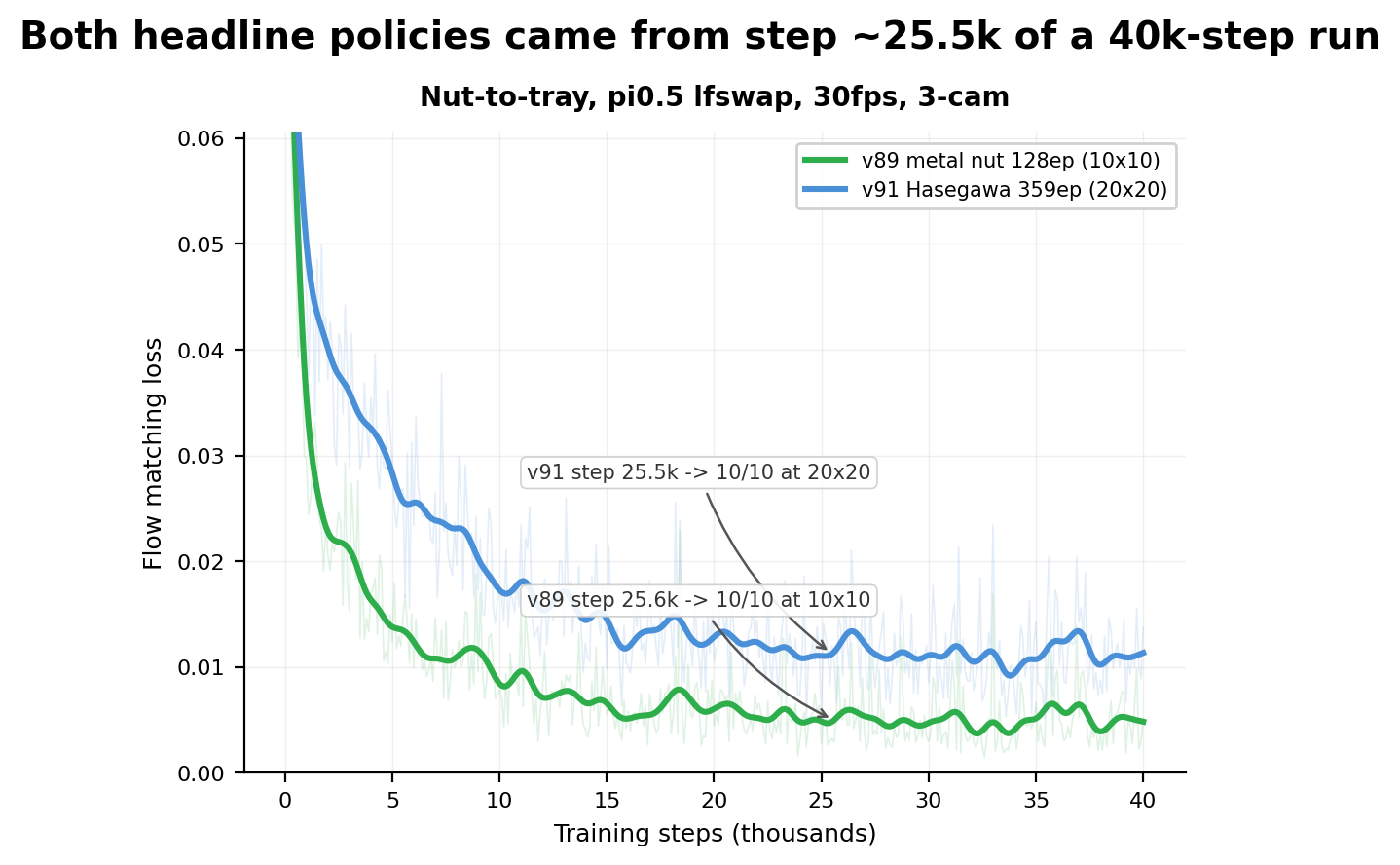
After about 25k training steps1, we achieved a 10/10 success rate on the 20×20 cm randomized-placement task (359 episodes), and 10/10 on a 10×10 cm metal-nut task from just 128 episodes.
Robustness
At this point, we're interested in whether the policy is robust enough to survive unseen circumstances. We ran two quick tests: can it survive an object it never saw? Does it still work if it loses one of the cameras? Both tests used the 128-episode 10×10 cm model, with random nut placement over the 10×10 cm range in all conditions.
| Condition | n | Success |
|---|---|---|
| Baseline | 10 | 100% |
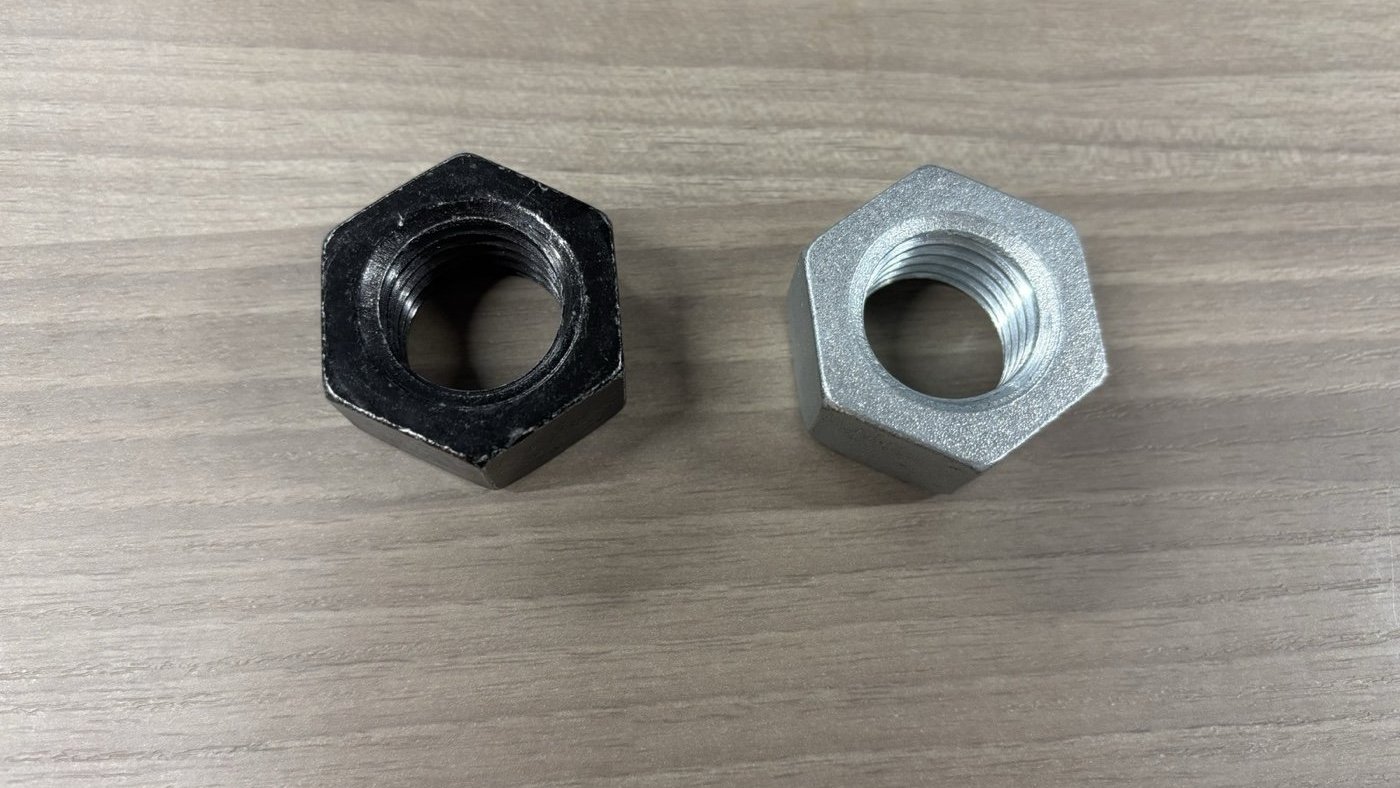
| Silver nut (never in training) | 10 | 100% |
| Overhead camera covered | 5 | 80% |
| Side camera covered | 5 | 20% |
| Wrist camera covered | 5 | 0% |
Here are three things we found genuinely interesting:
- Appearance generalization. A different-looking nut costs nothing (still 10/10), though note that this is a single sample.
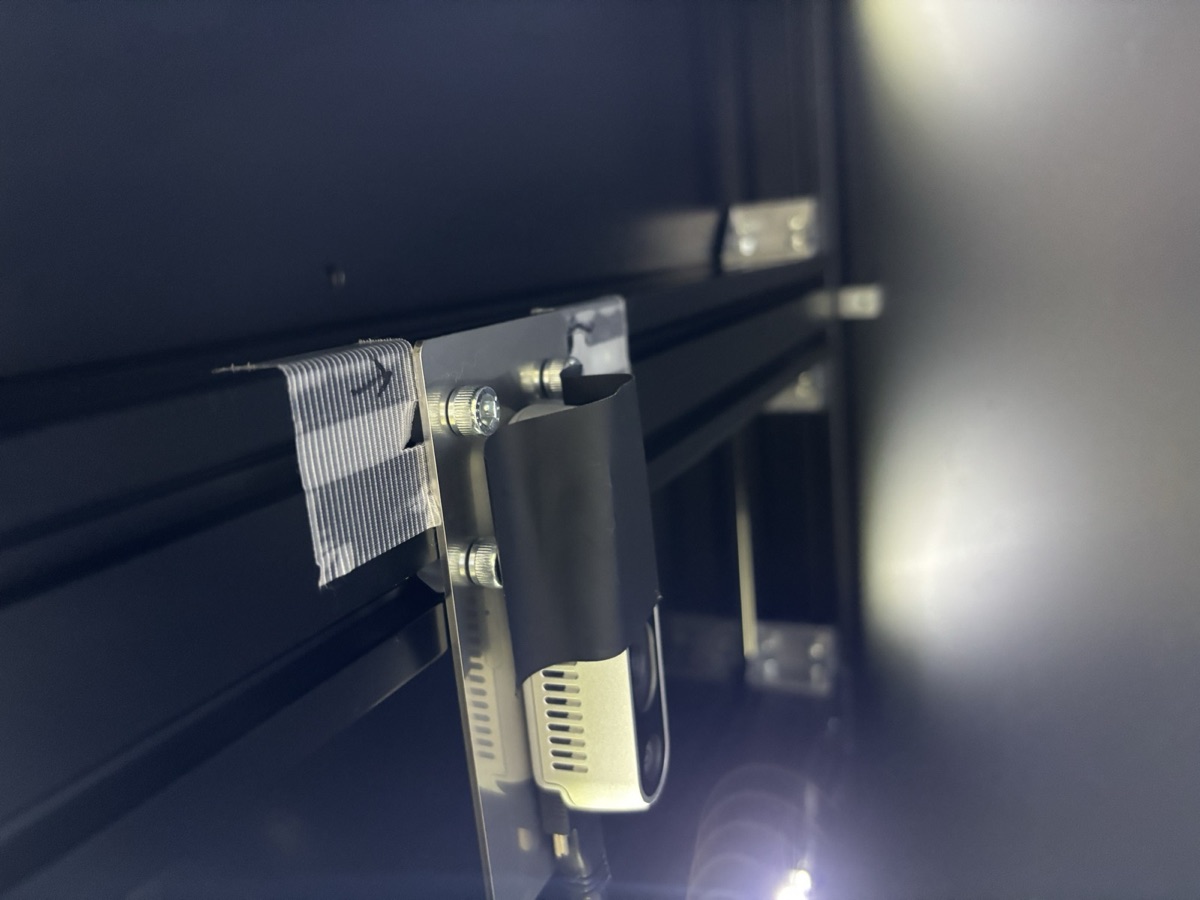
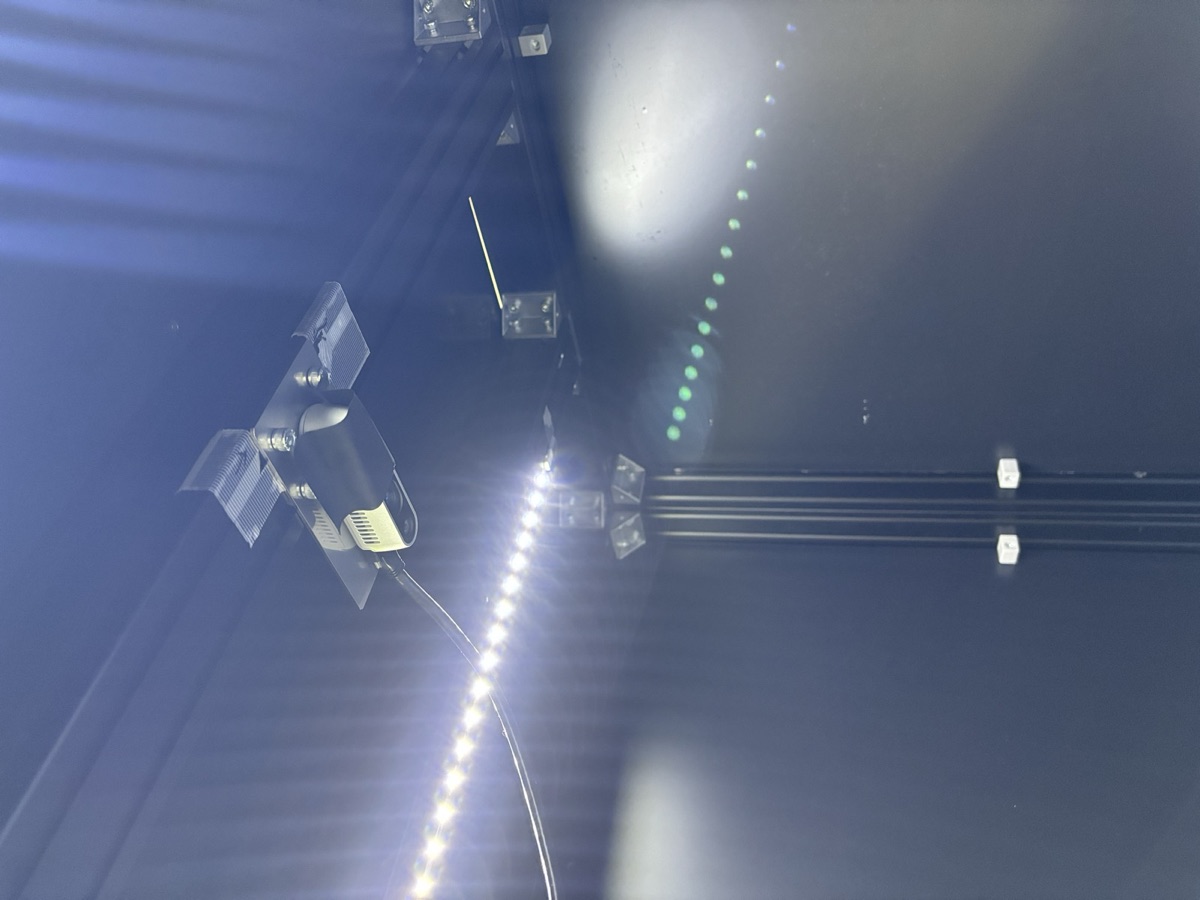
- The cameras are not redundant. Contrary to intuition, the overhead view seems nearly dispensable, while the side camera contributes more to task success: without the side view, the policy misses and retries. The wrist camera seems to provide the spatial information needed for grasping: without it, the policy grasps confidently in the wrong place and never notices.
- Failure is graceful. Even the 0% condition produced smooth, plausible trajectories. The policy reached the nut in every occlusion scenario; it is object localization that degrades. A blinded policy fails calmly, which matters for deploying with a safety layer.
The number of trials here is relatively small (n=10, n=5), but we believe the comparison is still meaningful: the cell is bolted down with fixed lighting and camera mounts, so runs differ only in the condition we changed. The occlusion asymmetry in particular (0% vs 80%) is far larger than what the small n could produce by chance.
Pitfalls
Everything below cost us real time, and none of it produced an error message.
Pitfall 1: swapped action and observation.state columns
In the follower-leader setup, the four arms (follower L/R, leader L/R) are mapped to CAN channels 0 to 3. A CAN frame only identifies a motor, never an arm, and all four arms use identical motor IDs. Which bus is "leader" or "follower" only existed in the recording script config.
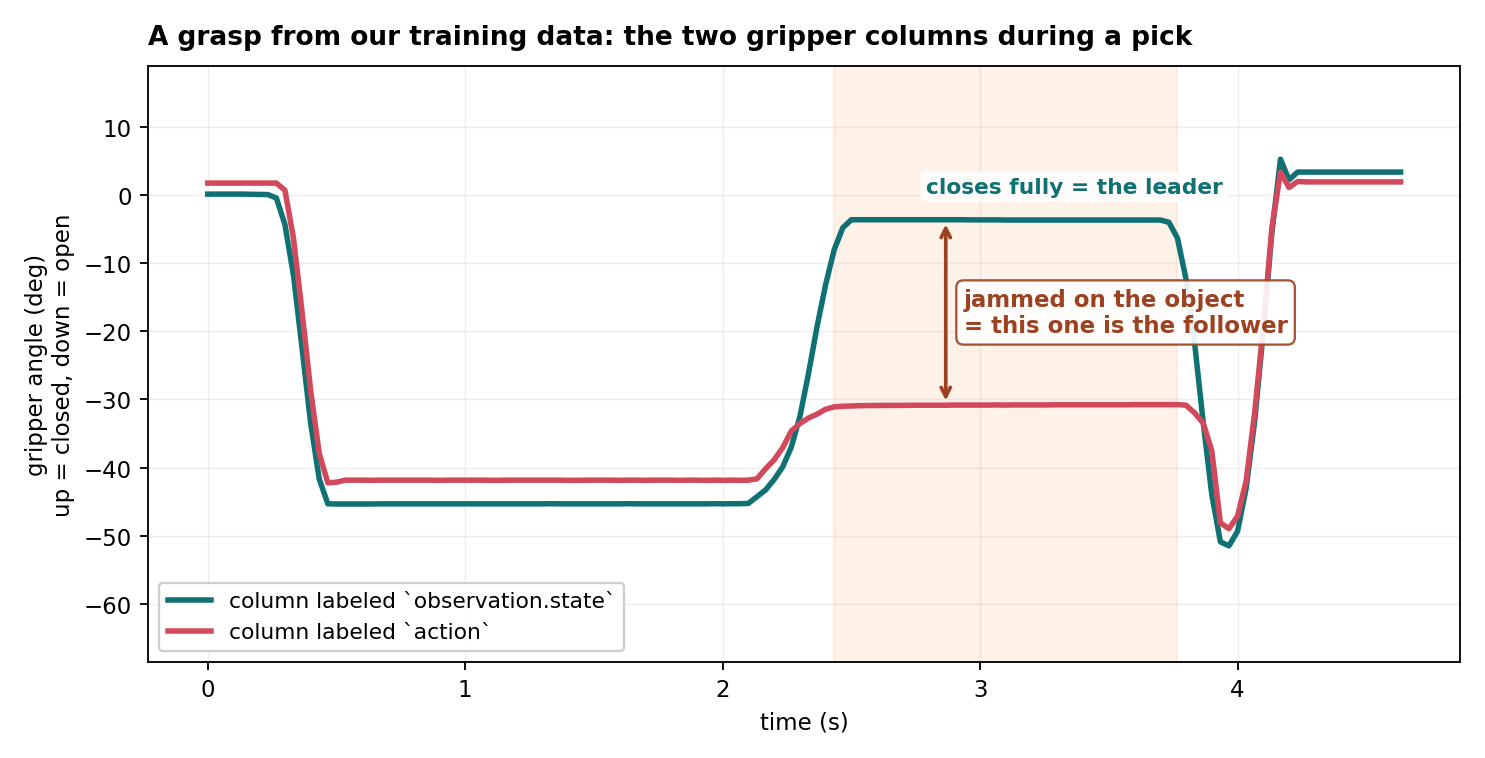
Since the recorder kept defaults from an older setup, the CAN mapping was flipped: observation.state got the leader's positions and action got the follower's. The dataset looked normal because the two arms track each other within a degree or two.
This bug caused what we call the "swing-back" issue: after grasping, the arm drops back toward the table a few times instead of lifting.
The pi0.5 policy is trained to map the follower's state (its joint angles, plus the camera images) to the leader's actions: given where the robot is now, predict what the operator would command next. At inference, the model reads the follower's encoders as input, and its predicted actions are sent back to the follower.
During teleop, the follower is always chasing the leader, so it runs a few frames behind. With the columns swapped, the model instead learned to map the leader's position to the follower's trajectory, which starts a few frames in the past.
It still learns to predict a valid trajectory, just one that starts slightly behind where the arm actually is. At inference, the input is the robot's actual position, so every new chunk begins by steering the arm back to a position it already passed, then does the trajectory from there, causing a swing-back.
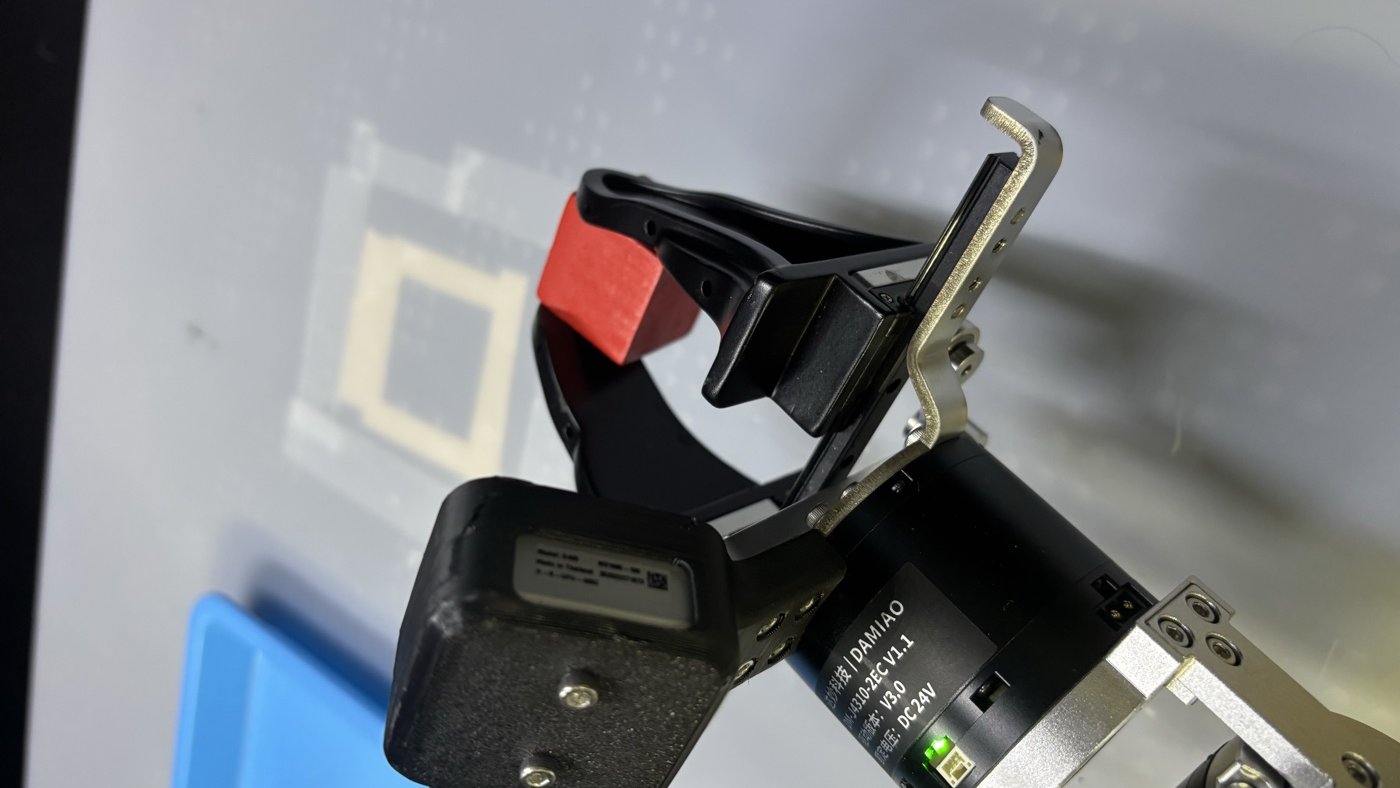
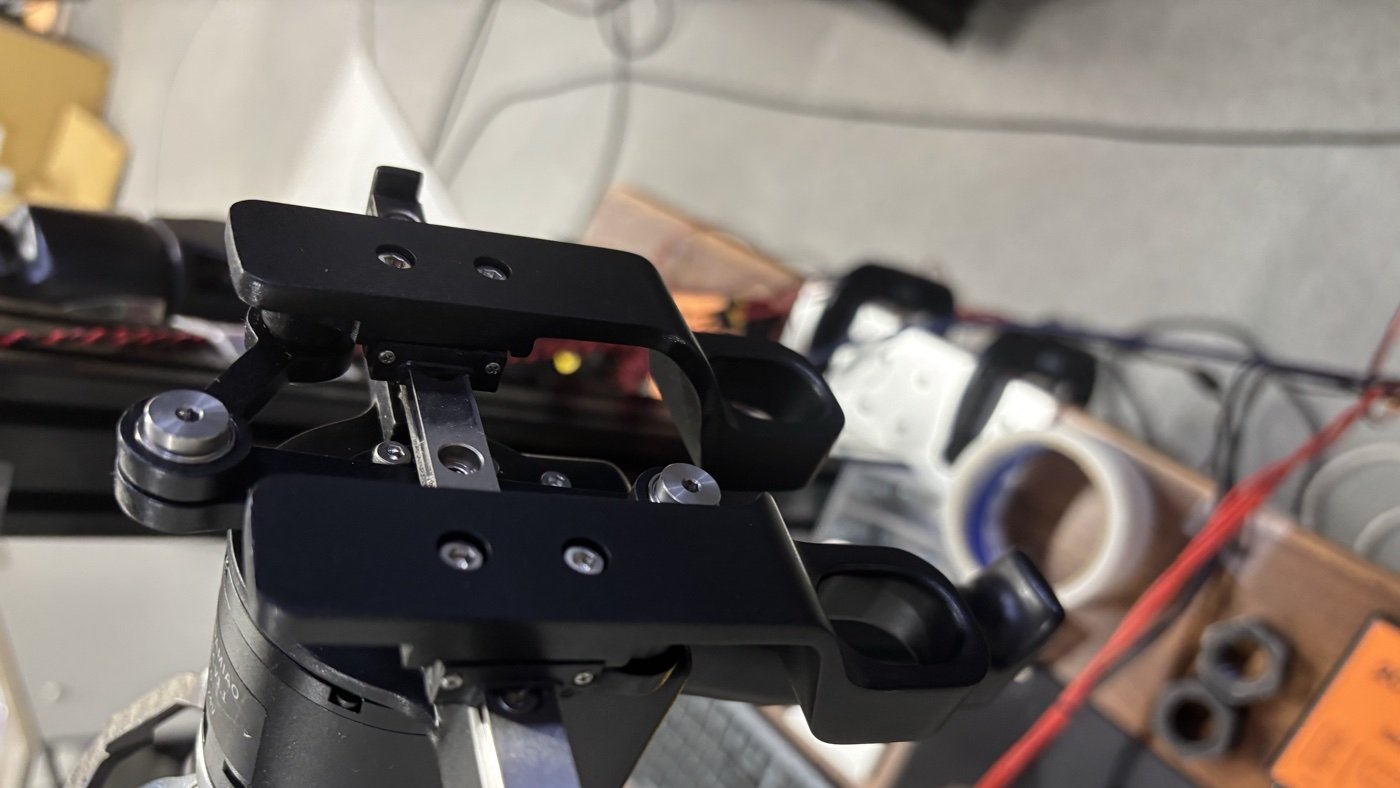
We caught it by plotting the gripper trajectories while making the follower hold an object: put a cube in the follower's jaws and fully squeeze the leader gripper. Only the gripper with something in its jaws can get stuck, so the column that stops early is the follower.
Both positions exist in every recording, so the fix was simply relabeling the columns. Retraining on the relabeled data improved the 20×20 task success rate from 70% to 100%, with the swing-backs completely gone. Notably, both the bugged and corrected runs converged to essentially the same loss (0.010 swapped, 0.011 fixed).
action.Pitfall 2: the default augmentation includes RandomAffine
LeRobot's image_transforms: {enable: true} silently includes a RandomAffine transform, added to the defaults in PR #2145 (random rotation of ±5 degrees and translation of up to 5%). We ran a clean ablation on a cube pick-and-place task, with identical data and hyperparameters, one config with the default transform block and one with color-only augmentation:
| Augmentation | Success rate |
|---|---|
| color-only transforms | 100% (10/10) |
| default (includes RandomAffine) | 30% (3/10) |
Both runs converged with monotonically decreasing loss curves; nothing in training tells you one of these policies is broken. Geometric augmentation seems to destroy the visual grounding a manipulation policy needs: the spatial relationship between what the camera sees and where the arm is. To be fair to the default, the PR's motivation cites training recipes from labs like PI and TRI, where these augmentations reportedly help. Those are large multi-robot pretraining runs where camera placement varies across the data anyway, so a small random rotation looks like one more mounting variation. In single-rig fine-tuning, the camera extrinsics are fixed, and exploiting exactly that constancy is the policy's job.
Pitfall 3: missing meta/stats.json
LeRobot normalizes states and actions using per-dataset statistics stored in meta/stats.json, but training can silently proceed without this file, on raw unnormalized values. Our two affected runs had losses of 1.2 and 2.1 with grad norms around 50 after 15k+ steps, compared to roughly 0.01 loss and 0.3 grad norm in a healthy run.
Though we never evaluated those policies, a loss that sits orders of magnitude away from your usual runs suggests that the config is broken.
However, we also find that loss curves usually tell you nothing about rollout success (one of our 100% policies was the step-13,400 checkpoint of a 60,000-step run). A suspiciously low loss is its own red flag: teleop data is full of near-still frames at the beginning, and one of our runs produced a policy that just stays at the starting position while its loss "converges" to a perfectly healthy-looking value (~0.005). Evaluate with rollouts, not loss curves.
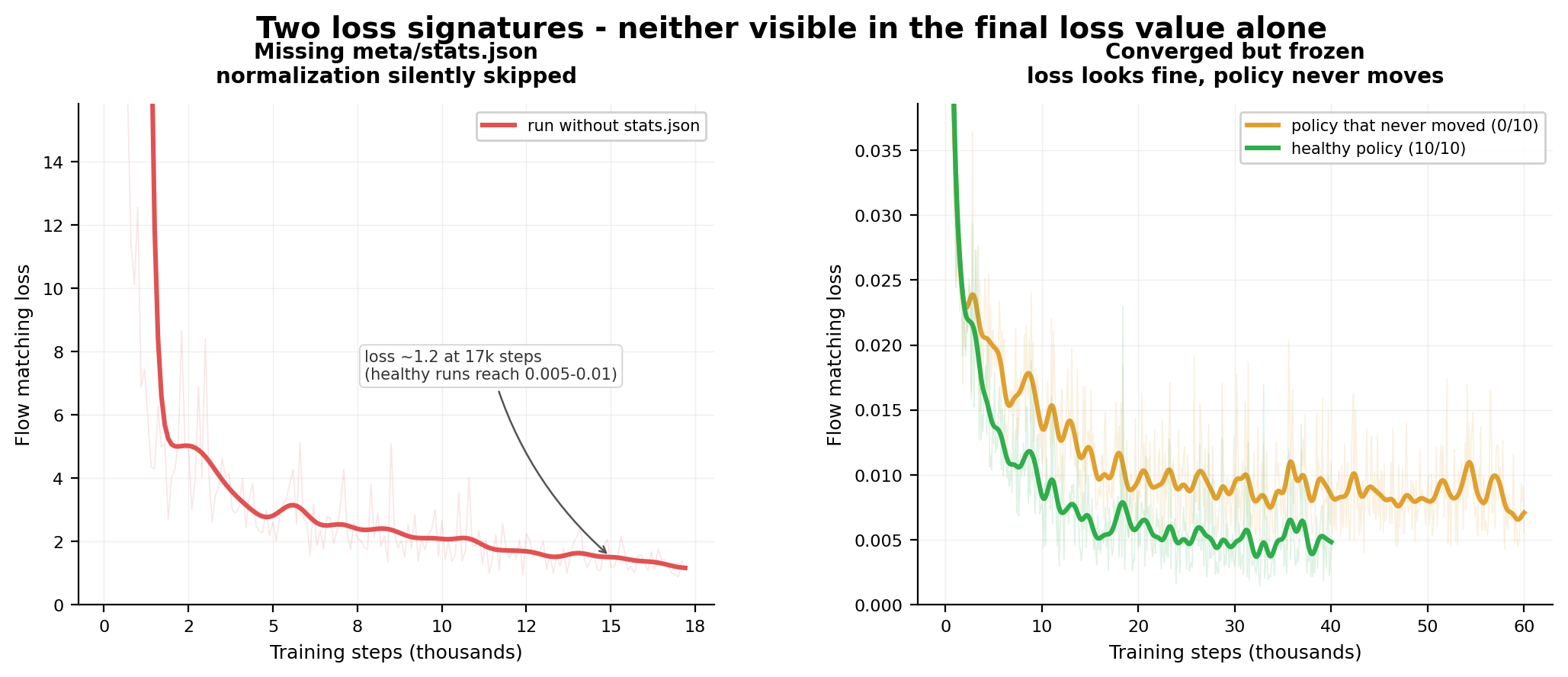
stats.json the loss sits at ~1.2 after 17k steps; a healthy run reaches 0.005–0.01. Right: a policy that never moved on the robot, with a loss curve indistinguishable from the one that scored 10/10.Takeaways
If your policy fails at a basic task like pick-and-place, something in your stack is broken. Audit the stack before concluding you need more data.
- Silent defaults are the most expensive kind. You can't assume that default settings in your framework work for your task. The default RandomAffine data augmentation cost us a 100%-to-30% regression, and stale CAN default mapping silently transposed dataset columns. Neither produced an error message. For identity-critical configuration, a missing value should be a loud failure, not a plausible default.
- Verify recorded data against reality. Bugs in code that moves the robot get caught immediately because the robot misbehaves. Bugs in code that only records produce no symptom at all, so plot what you recorded against what physically happened, and write provenance (e.g. which CAN bus fed which column) into the dataset metadata.
- Loss curves do not evaluate manipulation policies. Rollouts do. Every failure in this post, such as policies trained with swapped columns, RandomAffine data augmentation, or the ones that never moved at all, was trained with a healthy, converging loss curve. The only signal was observing actual inference behaviors.
- Small data goes further than we expected. 128 curated episodes (correctly labeled) gave us 100% including out-of-distribution objects, and clean degradation under sensor loss.
- The runs were configured for 40k steps and did finish, but I had one day of cell time left before travel, so I evaluated the newest checkpoint on disk (step 25.5k of 40k) and never went back to the 40k weights. The results suggest that 20k–30k steps of training might be enough to produce a good policy. ↩